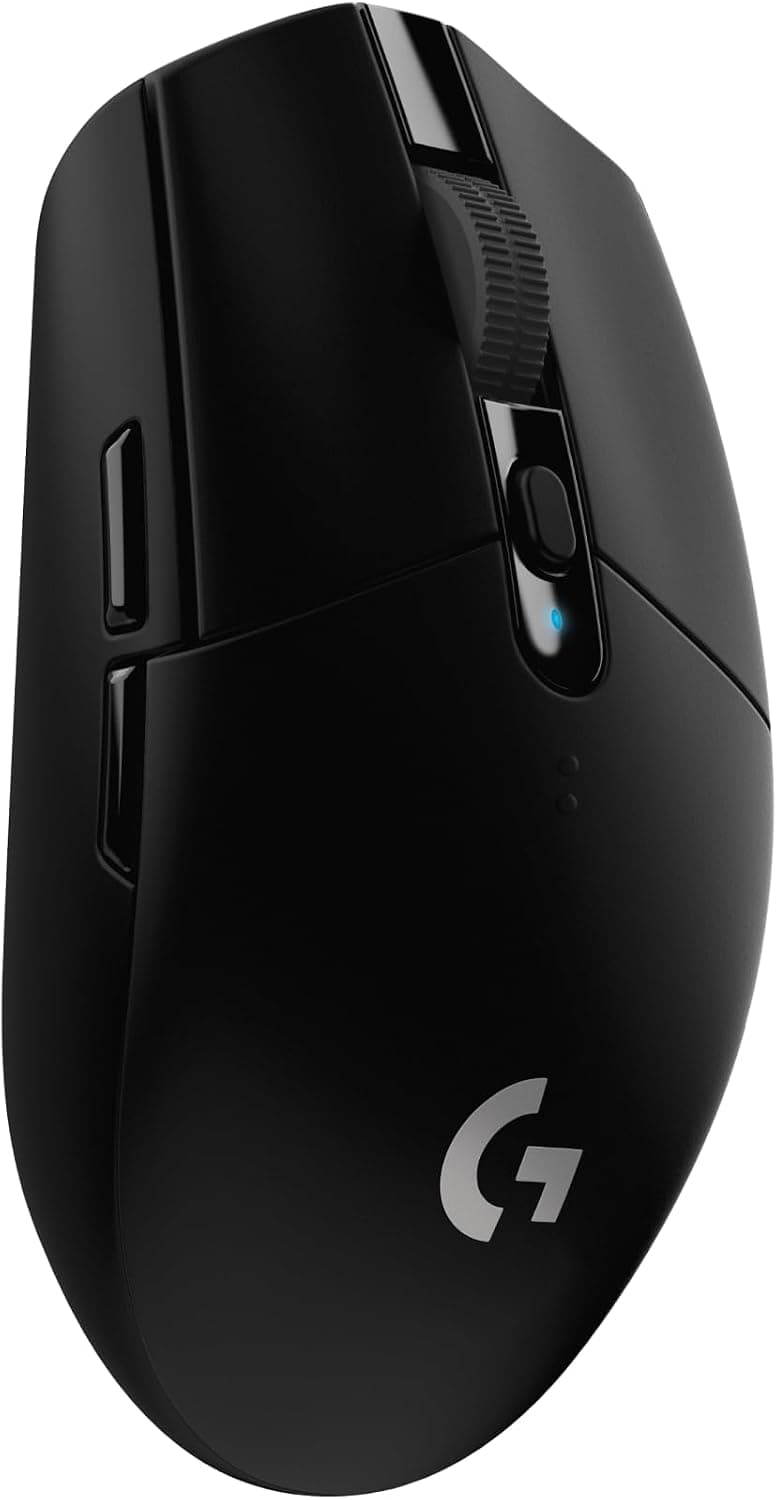
What Our Research Found
The G305 launched in 2018. The question that matters in 2026 isn't whether it's good. It's whether a mouse this old still makes sense when 55 g wireless mice with USB-C and 8,000 Hz polling exist. We compared its published specs against current rivals, mapped the shape against typical hand sizes, and read through the pattern of public owner reviews to find what tends to go wrong over time.
The G305's real advantage isn't the sensor or the price. It's that a single AA gives roughly 250 hours of play, so the mouse never dies mid-match and never needs a cable on your desk.
Logitech rates the HERO sensor at up to 12,000 DPI with 400 IPS tracking and 40 G acceleration, and the Lightspeed receiver runs a 1 ms (1,000 Hz) report rate. Those numbers were flagship-grade in 2018 and still sit past the threshold where human aim becomes the limiting factor. The physical package is what shows its age: 116.6 x 62.15 x 38.2 mm and about 99 g including the AA, against roughly 60-63 g for current mid-range wireless mice. Six buttons. Onboard memory for one profile. No Bluetooth, no RGB, no charging port. The receiver stores inside the battery bay, which is the smartest design choice on the whole mouse.
Bottom line
At $59.99 on Amazon Canada you're buying latency and reliability, not modern ergonomics. If your hand is roughly 17-19 cm long and you claw or fingertip grip, the shape works well. If you palm grip with a larger hand, the back of the shell will feel short and you'll notice the weight after long sessions.
Buy it if you want dependable wireless performance under $60 and don't care about weight records. Look elsewhere if you need Bluetooth for a work laptop, want a rechargeable cell, or you've already used a sub-70 g mouse and can't go back.
How we assessed it
No lab and no instrumented latency rig here. We worked from Logitech's published specification sheet, its dimension data, and the aggregated pattern in public owner reviews on Amazon Canada and elsewhere. The specs a smart buyer compares in this category are sensor tracking limits, wireless report rate, weight, shell size against hand size, switch longevity and battery format. Two of those are effectively settled on this mouse. A 400 IPS ceiling means the sensor keeps tracking at roughly 10 m/s of hand movement, and a 1 ms report interval falls inside the window where players stop being able to tell devices apart, which is why blind comparisons between quality gaming sensors rarely produce consistent accuracy differences. The other four factors are where the buying decision actually gets made.
The Good & The Bad
thumb_up What We Loved
- check
Latency you can't feel, at a budget price
1 ms Lightspeed over the bundled receiver is competitive-tier wireless. At $59.99 CAD, nothing else from a major brand gives you this sensor plus this connection quality with change left over.
- check
The AA design is practical, not a compromise
No charging dock, no cable creeping onto the mousepad, no lithium-ion cell losing capacity after three years. A spare AA in the drawer means the mouse effectively has unlimited runtime, and a five-year-old G305 holds the same charge as a new one, which no rechargeable mouse can claim. Lithium AAs cut weight; NiMH cells cut running cost to near zero.
- check
Onboard memory means it travels well
DPI stages and button assignments save to the mouse, so plugging into a LAN PC or a work laptop keeps your setup without installing G HUB. The receiver stows inside the shell, which is why this survives being tossed in a backpack.
- check
Shape suits claw and fingertip grips
At 116.6 x 62.15 x 38.2 mm it's a compact, near-symmetrical right-handed body with a low hump. Small-to-medium hands get full control of both side buttons without stretching.
thumb_down Honest Drawbacks
- close
No Bluetooth, no wired fallback
This is the biggest functional gap. You can't pair it to a tablet, you can't use it on a machine where the USB port is taken, and losing the tiny receiver means buying a replacement unifying-style dongle or a new mouse.
- close
Some owners report double-clicking after a year or two
The same pattern turns up repeatedly in public owner reviews. Fine for a year or two, then the left button sometimes registers two clicks on one press. There's no published failure rate, so read this as aggregated anecdote rather than measured data. It was still the complaint we saw most often, and Logitech's 2-year limited warranty only covers part of that window.
- close
99 g is heavy for a 2026 gaming mouse
Mid-range competitors now land at 55-65 g. The extra 35-40 g is noticeable during long FPS sessions and in fast flick aiming. A lithium AA helps, but you can't get near modern lightweight territory.
- close
Small shell won't suit palm grips
Hands over roughly 19 cm, or anyone who palm grips, will find the back of the mouse too short to fill. The front two-thirds feel fine; it's the rear hump that runs out.
- close
Polling caps at 1,000 Hz
Rivals now offer 4,000 or 8,000 Hz. The practical difference is small and most players can't feel it, but if you're buying to future-proof, this isn't the mouse that does that.
- close
No RGB, no charging port, no frills
The AA design means there's nothing to plug in and nothing to light up. That's a fair trade at $59.99, though buyers expecting the visual polish of pricier gaming gear will find the G305 plain to the point of austere.
Technical Breakdown
Battery life (single AA)
~250 hrs performance mode / ~9 months endurance
Sensor and report rate
HERO optical, up to 12,000 DPI, 1 ms / 1,000 Hz
Weight with battery
~99 g (mouse ~85 g + AA)
Connectivity options
Lightspeed 2.4 GHz receiver only
Main switch rating
Mechanical switches, durability rating undisclosed for this model
How It Works
Setup is about as simple as gaming peripherals get. No pairing dance, no app required to get moving.
Open the top shell
Lift the magnetic-free top cover off the mouse. Inside you'll find the battery bay and a small slot holding the Lightspeed USB-A receiver.
Install the AA and pull the receiver
Drop in the included AA alkaline (a rechargeable NiMH or lithium AA also works and cuts weight), take out the receiver, and snap the cover back on.
Plug the receiver in and play
Insert the receiver into a USB-A port and the mouse connects automatically at 1,000 Hz. No pairing, no drivers needed for basic use. Use the supplied extension adapter if your PC sits under the desk.
Set DPI on the fly
The button behind the scroll wheel cycles through preset DPI stages. Defaults run 400 / 800 / 1600 / 3200 / 6400, and most players sit at 800 or 1600.
Optional: install G HUB
Logitech's G HUB software lets you remap all six buttons, set custom DPI steps, and switch to Endurance mode (roughly 1,000 Hz down to 125 Hz) for around 9 months of battery instead of 250 hours. Settings save to onboard memory, so the mouse keeps them on other PCs.
How It Compares
| Feature | Logitech G305 Lightspeed Wireless Gaming Mouse - Black | Razer Orochi V2 (typical alternative) |
|---|---|---|
| Price (CAD, typical) | $59.99 | $85-100 |
| Connectivity | Lightspeed 2.4 GHz receiver only | 2.4 GHz receiver + Bluetooth |
| Weight with battery | ~99 g | ~74 g (with 1x AA) |
| Battery format | 1x AA, ~250 hrs performance mode | 1x AA or 1x AAA, manufacturer claims up to 425-950 hrs |
| Max DPI / report rate | 12,000 DPI / 1,000 Hz | 18,000 DPI / 1,000 Hz |
| Buttons | 6 programmable, onboard memory | 6 programmable, onboard memory |
| RGB lighting | cancelNone | cancelNone |
| Warranty | 2-year limited hardware warranty | 2-year limited hardware warranty |
| Best for | Pure value wireless gaming on one PC | Gaming plus laptop/tablet use via Bluetooth |
Frequently Asked Questions
Is the Logitech G305 still worth buying in 2026 for FPS?
Yes, if your budget stops under $70 CAD. The HERO sensor and the 1 ms Lightspeed connection still perform at a competitive level, and nothing else from a major brand puts that combination on your desk for $59.99. What you trade away is modern lightweight design and Bluetooth. Aim performance isn't part of the trade.
How long does the Logitech G305 battery last on one AA?
About 250 hours of continuous play from one AA alkaline in performance mode, per Logitech's own rating. Switching to Endurance mode in G HUB drops the report rate and stretches runtime to roughly nine months. Most owners describe replacing the battery two or three times a year under regular use.
Does the Logitech G305 work with Bluetooth or on a Mac?
No Bluetooth. It connects only through the bundled Lightspeed USB-A receiver, which works on macOS, Windows, Linux and PS5 without drivers. There's no wired mode and no tablet or phone pairing, so anyone who needs Bluetooth on a laptop should look at the Razer Orochi V2 or Logitech's own G Pro line.
Do Logitech G305 mice develop double-click problems over time?
Picture the mouse two years in, mid-match, and one left click registering as two. That's the pattern owners describe most often in long-term public reviews, and it comes from mechanical switch contacts wearing and bouncing. No failure rate is published anywhere. Logitech's 2-year limited hardware warranty may cover it; past that it's a switch swap or a new mouse.
Is the G305 too heavy for competitive FPS in 2026?
At roughly 99 g with the battery in, it's heavy against current competitive standards, where most esports mice land between 55 and 65 g. Plenty of players still win with it, so usable isn't in question. Chasing the lightest possible flick aim is another matter: a lithium AA saves about 8-10 g, and a dedicated lightweight mouse saves 35 g beyond that.
Can I return the G305 to Amazon Canada after I've used it?
Yes. Amazon Canada's standard 30-day electronics window applies, and normal setup doesn't void it. Opening the top shell to fit the AA and pull out the Lightspeed receiver counts as expected use rather than damage. Send it back complete with the cover, receiver, USB extension adapter and battery. After 30 days, Logitech's 2-year limited hardware warranty handles faults.
library_booksReferences & Further Reading
Our reviews are informed by peer-reviewed research and authoritative health organizations. These sources provided context for this review:
- linkLogitech G — G305 Lightspeed official product and specification page
- linkLogitech Support — G305 setup, G HUB and warranty documentation
- linkFCC — Equipment Authorization and FCC ID lookup for 2.4 GHz wireless devices
Editorial note: Links to external sources are provided for informational purposes. ReviewHubNow is not affiliated with these organizations and does not receive compensation for linking to them.
The G305 is an old design that hasn't been beaten on value. Flagship-era sensor performance, real 1 ms wireless, and a b...
Based on our research and analysis, Logitech G305 Lightspeed Wireless Gaming Mouse - Black scored 8.3/10. It is one of our top recommendations in its category.
View Price on Amazon Canadaarrow_forwardVerify official availabilityWhat Owners Report
Recurring themes we found across public owner reviews.
Owners consistently report that battery life meets or beats the claim — many say they get several months of regular play from one AA and had forgotten the mouse even had a battery until it warned them.
The complaint that surfaces most in long-term reviews is the left button starting to double-click after roughly one to two years of heavy use. How widespread it is isn't documented anywhere, but affected owners tend to swap the switch or replace the mouse.
Buyers with larger hands or palm grips often mention the mouse feels too small and slightly back-heavy, while claw and fingertip users describe the same shape as near-perfect.
Amazon Canada's standard electronics return window is typically 30 days from delivery, and installing the AA or removing the receiver from the shell counts as normal setup rather than damage — just return the mouse with its top cover, receiver, extension adapter and battery. Logitech separately provides a 2-year limited hardware warranty on the G305. Check the specific listing before ordering, as return terms vary by seller.